
Appearance
Paginating results (2.x/3.x)
If you have a large number of properties, you may want to split them into multiple pages to make it easier for visitors to navigate your listings. You can enable pagination in the Residenda plugin to achieve this.
Example
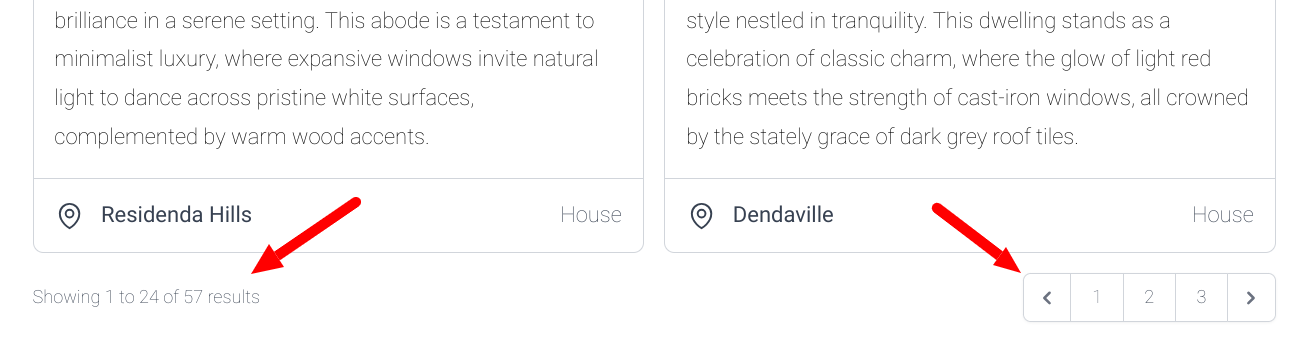
How to enable pagination
- Open the Wix Editor.
- Open the page that contains the Residenda plugin. If you have multiple Residenda listings pages, you need to take these steps for each page on which you want to enable pagination.
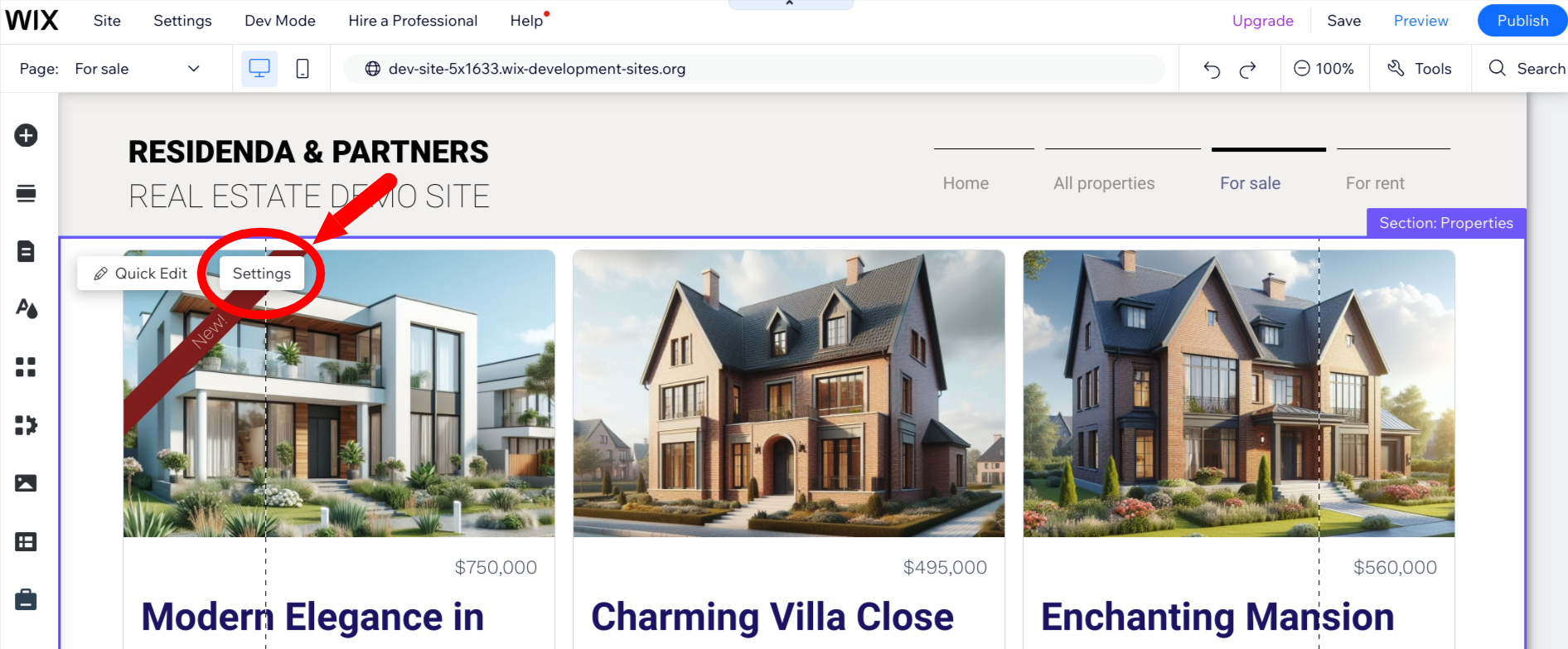
- Double-click the Residenda block to open its settings. Alternatively, click the block once and then click the Settings button that appears.
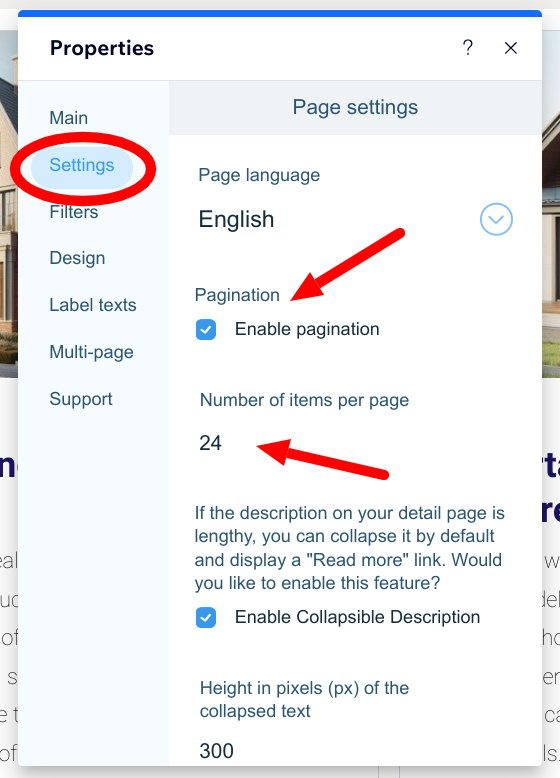
- This will open the settings panel. Click the Settings tab and click the Enable pagination checkbox. Now you can also enter the number of items per page. The default is 24.
- Your changes are saved automatically and will be immediately reflected on your live site. Click the X in the top right corner of the settings panel to close it.