
Appearance
Upgrading from 2.x/3.x to 4.x
Version 4 of Residenda is available, and there are two ways to upgrade from 2.x/3.x. They lead to very different results, so it's worth taking a moment to choose the path that fits you best.
- Quick update — one click in the Wix dashboard. Your site keeps working exactly as it does today, but you don't get any of the new version 4 features.
- Full upgrade — uninstall and reinstall the app. This unlocks everything version 4 has to offer, but your listing pages will look different and you'll need to reapply your styling customizations.
The two paths at a glance
| Quick update | Full upgrade | |
|---|---|---|
| How | Update button in the Wix dashboard | Uninstall, then reinstall the app |
| Effort | One click | Some work: reapply styling |
| New 4.x features | No | Yes, all of them |
| Changes to your site | None — everything stays as it is | Listing pages get the new look |
| Reversible | Not applicable — nothing changes | No — you cannot go back to the classic look |
Path A: Quick update (keep everything as it is)
- In your Wix dashboard, go to Apps > Manage apps.
- Next to Residenda Real Estate Listings, click Update.
That's it. Your site will continue to work exactly as before: same look, same behavior, no work required.
Be aware of what this means: although the app is now formally on version 4, your site keeps using the classic experience. You won't get any of the new features listed below — functionally, this is the same as not upgrading at all.
That is a perfectly valid choice. If your site works well and you're happy with it, there is no pressing reason to change anything. And if you change your mind later, you can always do the full upgrade at any time.
Path B: Full upgrade (switch to the new 4.x experience)
To fully switch to version 4, an in-place update is not enough — the app needs to be reinstalled so it can set up the new listing pages:
- Uninstall the app
- Immediately reinstall the app
No way back
Once you complete the full upgrade, you cannot return to the classic 2.x/3.x experience. Make sure you've read the sections below before you proceed.
What to expect after reinstall
- Existing listings should remain available after uninstall/reinstall.
- If listings are missing, do not panic. Contact support and we can restore things.
Visual differences in version 4
The listing pages in version 4 look different from 2.x/3.x.
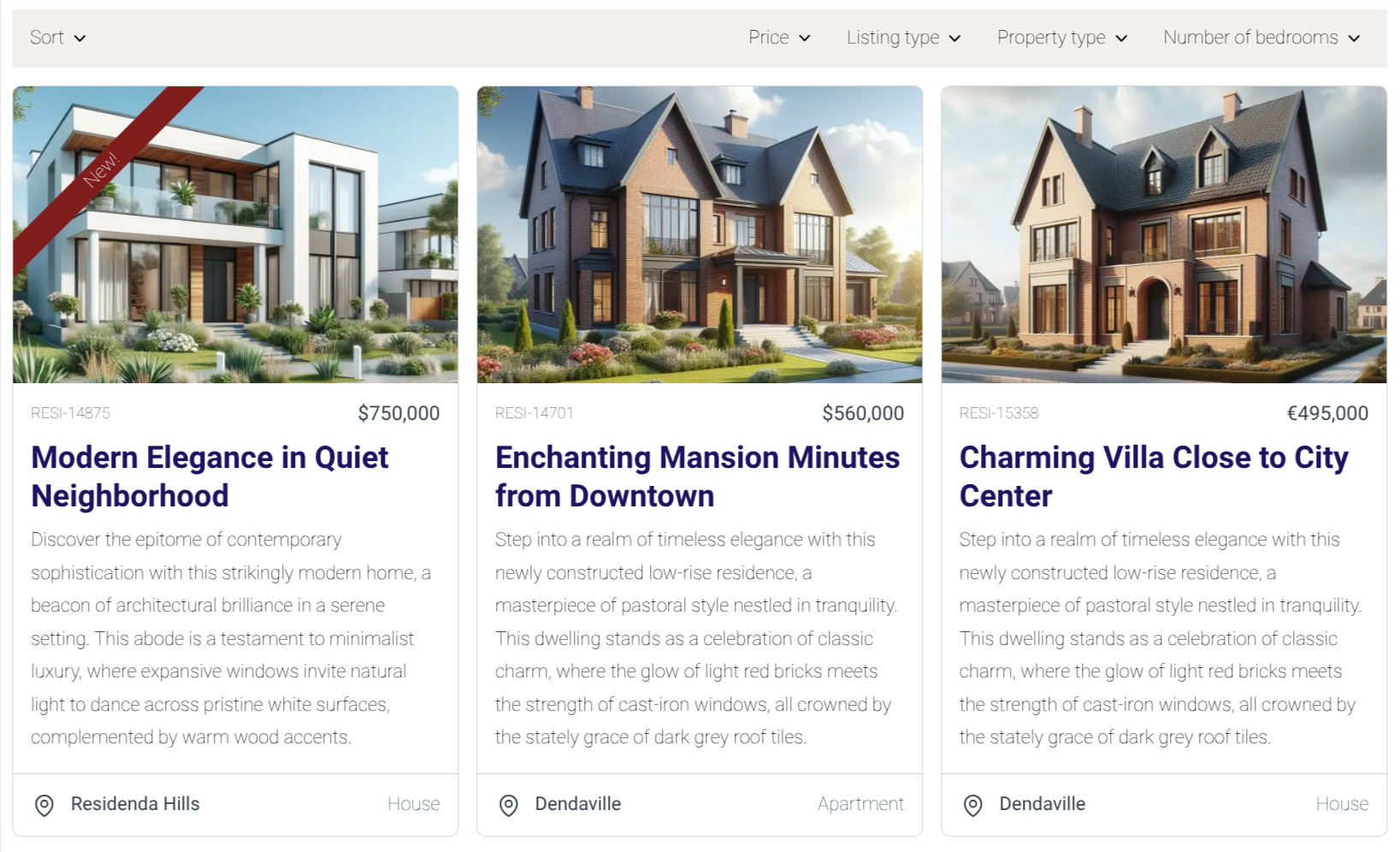
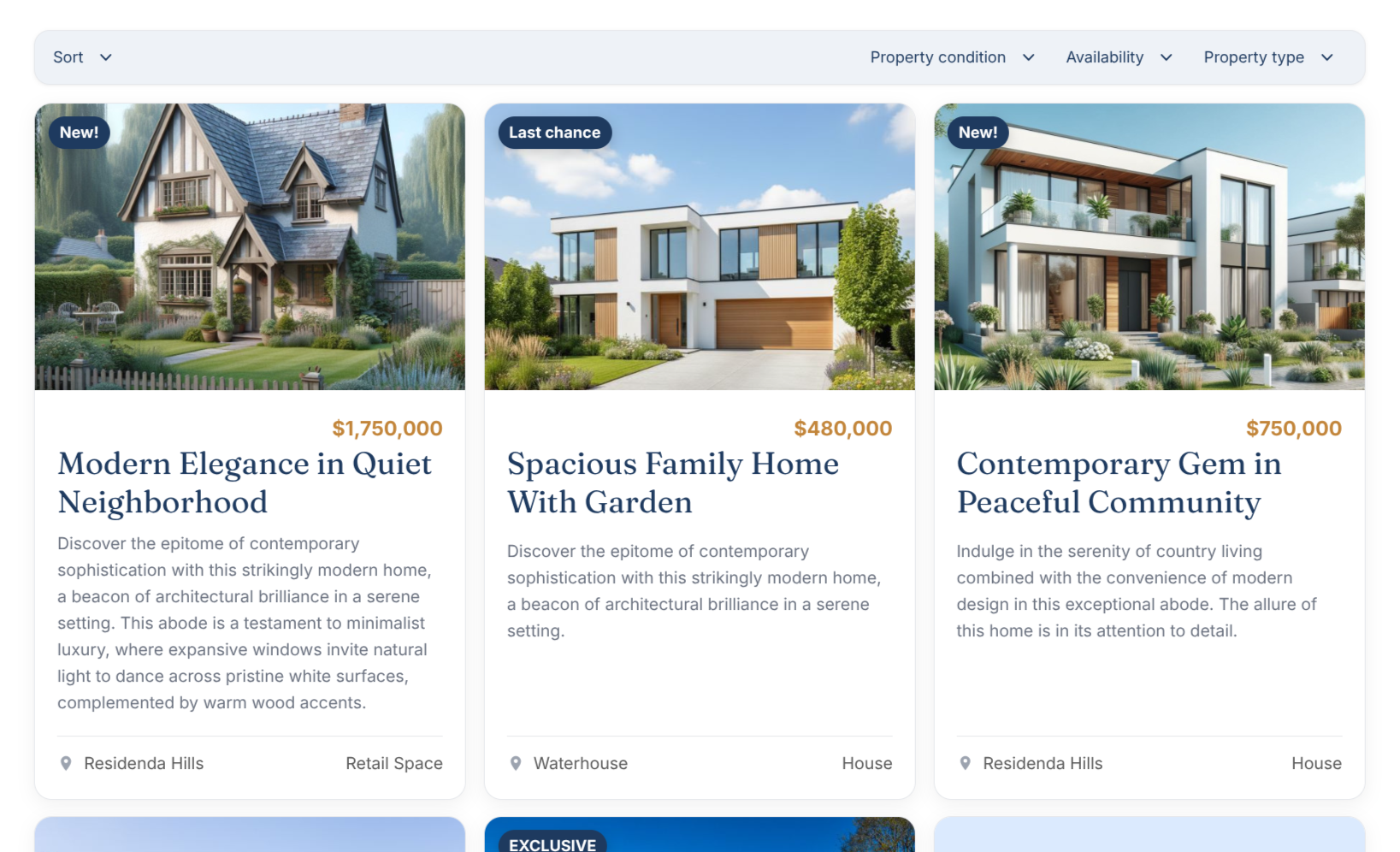
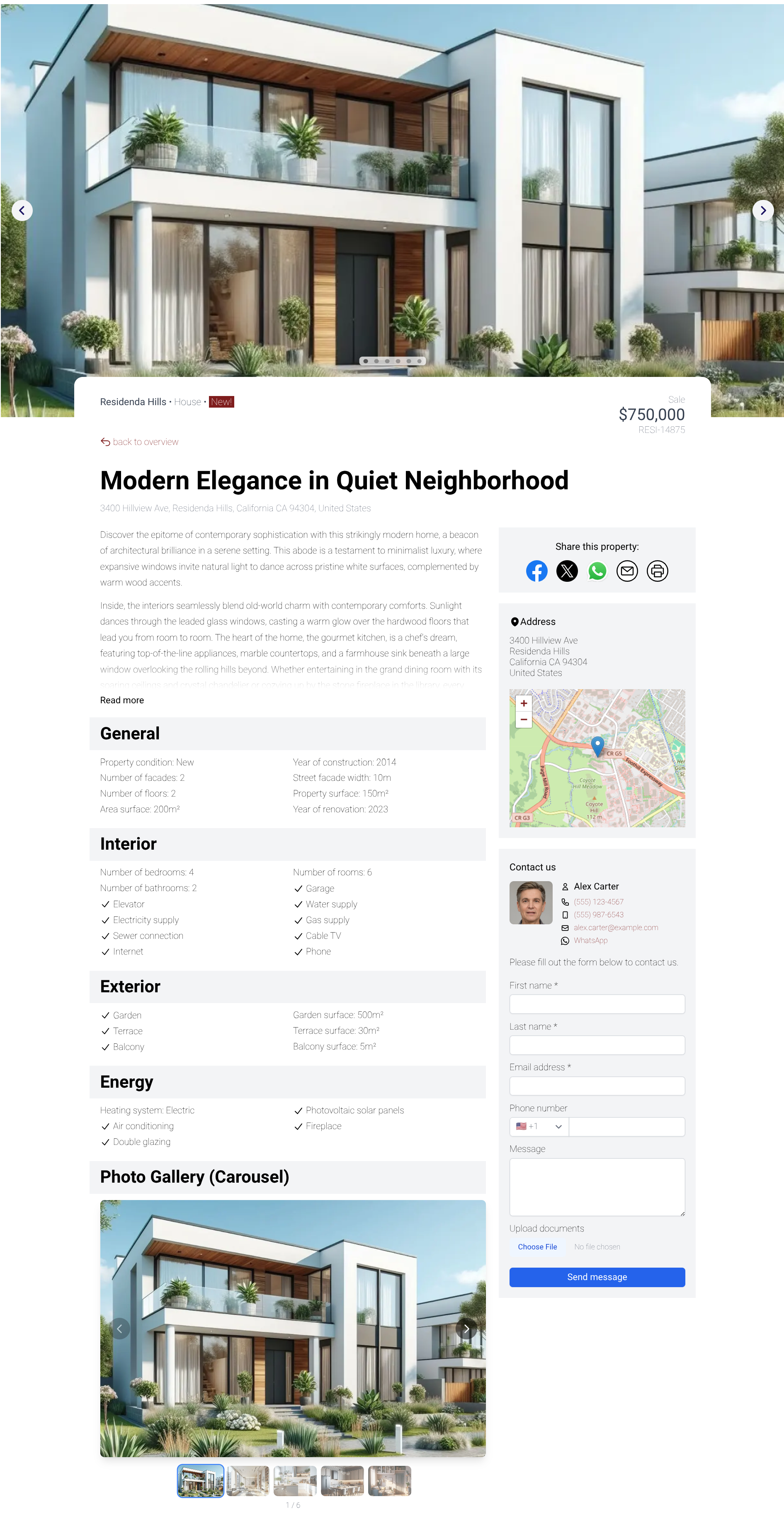
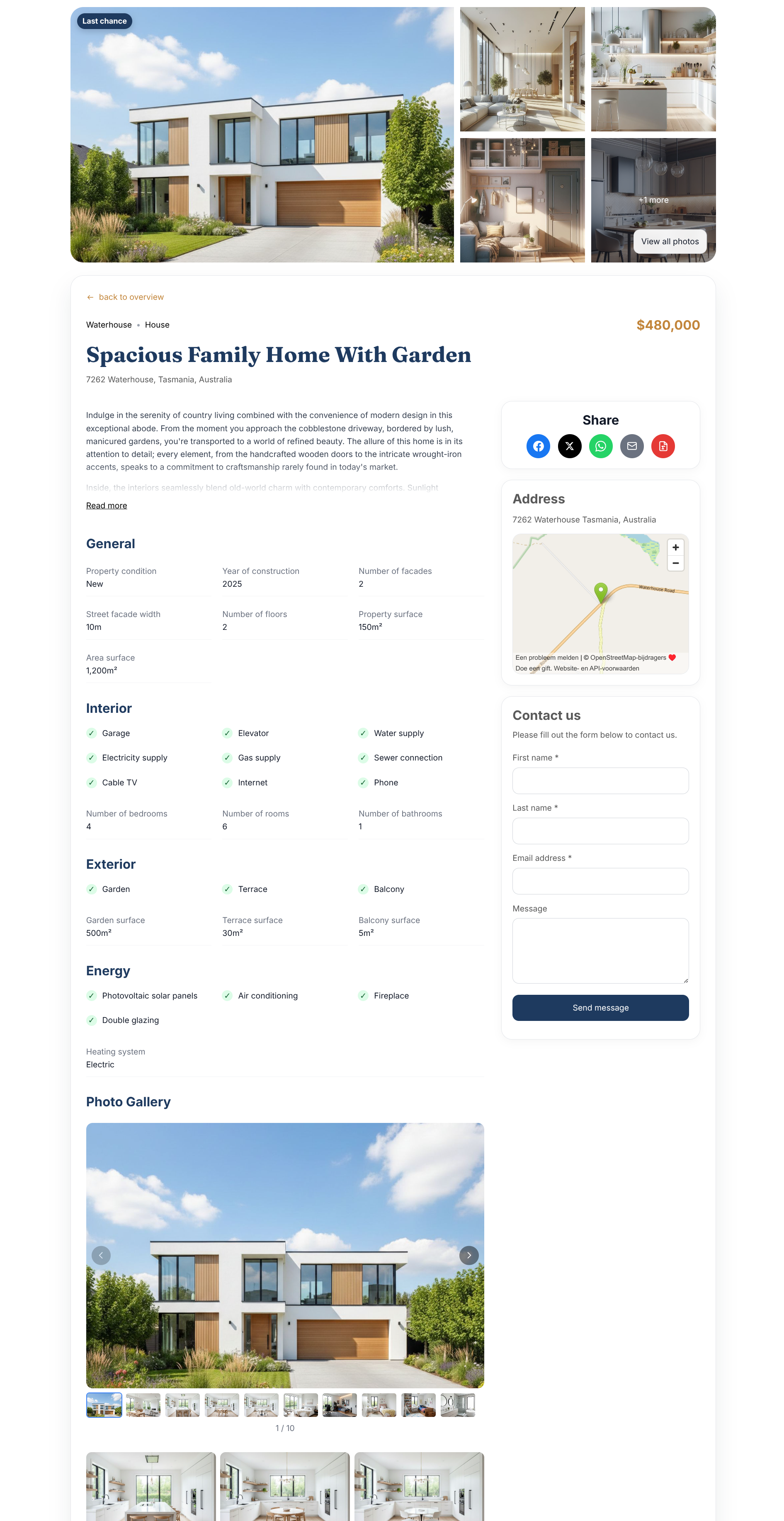
If preserving the exact current look of your site is critical, the quick update (or staying on your current version) may be the better choice.
Custom styling must be reapplied
After the full upgrade, layout customizations need to be reapplied, including:
- Colors
- Fonts
- Font sizes
- Custom CSS
Good news: almost all customizations from previous versions can also be done in version 4 (and often more). Reapplying them takes some effort, so plan a bit of time for it — and support can help you through this.
Which path should you choose?
- You're happy with your site as it is and don't need the new features → take the quick update (or simply do nothing). You can always do the full upgrade later.
- You want the new version 4 features and are willing to spend some time reapplying your styling → take the full upgrade.
Why the full upgrade is worth it
The full upgrade requires some care, but version 4 brings important benefits:
- Featured listings on other pages: you can now place featured listing widgets outside the main listings page, for example on your homepage (such as a row with the 4 most recent listings or one highlighted project).
- Faster loading times: listing pages generally load faster.
- More modern look and feel: the overall browsing experience feels more current.
- Click-to-enlarge photos: visitors can click listing photos to view them in a larger, full-screen-style gallery.
- Future updates are focused on 4.x: versions 2.x and 3.x are no longer actively developed, and new features will be released on 4.x.
Need help?
Not sure which path to take, or does anything look wrong after upgrading? Contact support and we will help you get your setup in order.