
Appearance
Photo galleries Paid Feature
Photo galleries allow you to add additional images to your property detail pages that appear lower on the page, separate from the main photo carousel displayed at the top. This is ideal for showcasing floor plans, additional property photos, or any other supplementary images you want to display. Photo galleries support two display modes that dictate how images are displayed on your page.
Paid Feature
Photo galleries are available in all paid plans. If you're on the free plan, you'll need to upgrade to access this feature.
Display Modes
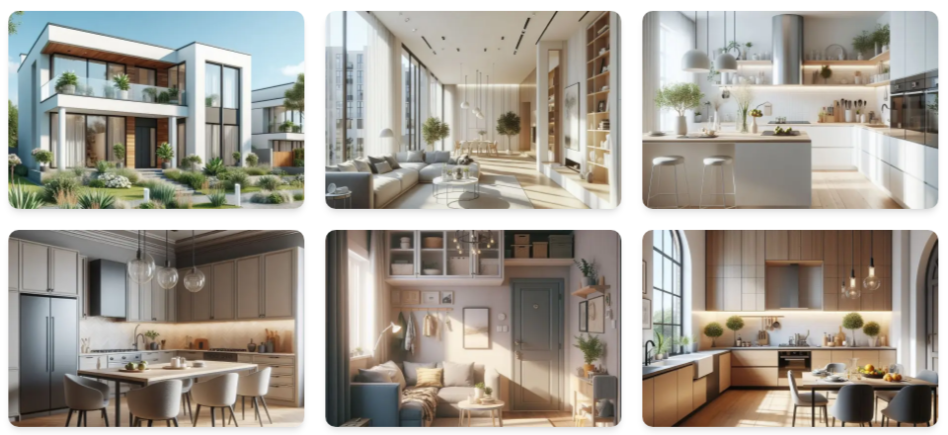
Thumbnail Grid
With Thumbnail Grid mode, images are displayed in a grid layout with thumbnails that visitors can click to view larger versions.
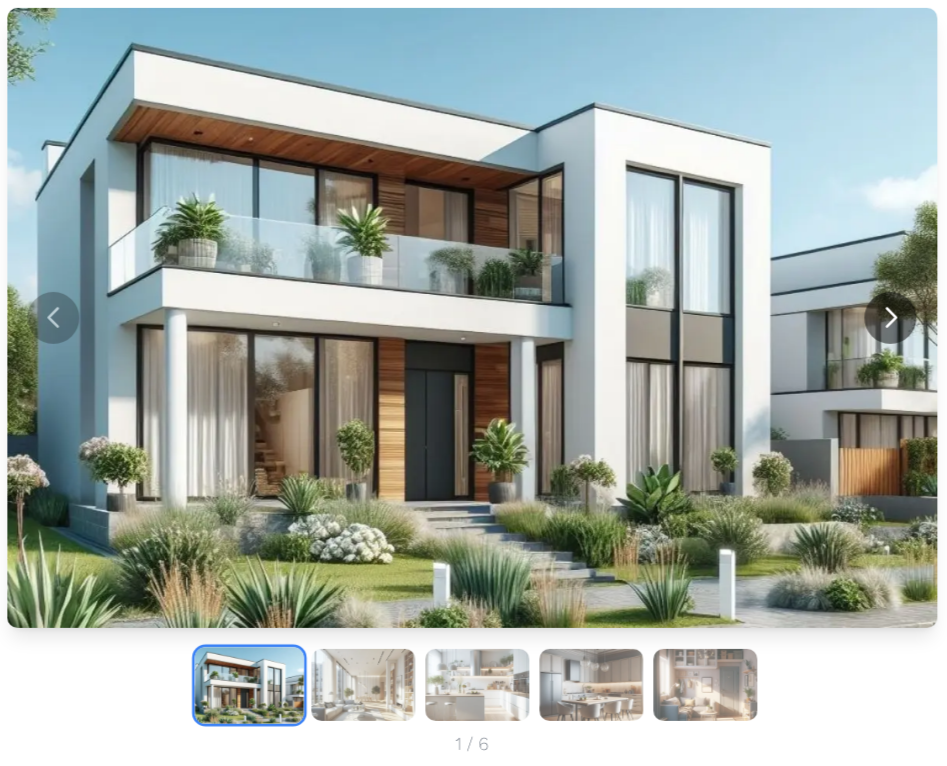
Carousel
With Carousel mode, images are displayed in a carousel that visitors can navigate through.
Adding a Photo Gallery Field
To add a photo gallery to your property detail pages, you first need to create a photo gallery field.
- Go to Customize fields in the Residenda dashboard.
- You have two options:
- Add to an existing section: Click the Edit section fields link on the appropriate row.
- Create a new section: Click the New Section button and create it.
- Once you're in the right section, click New Field.
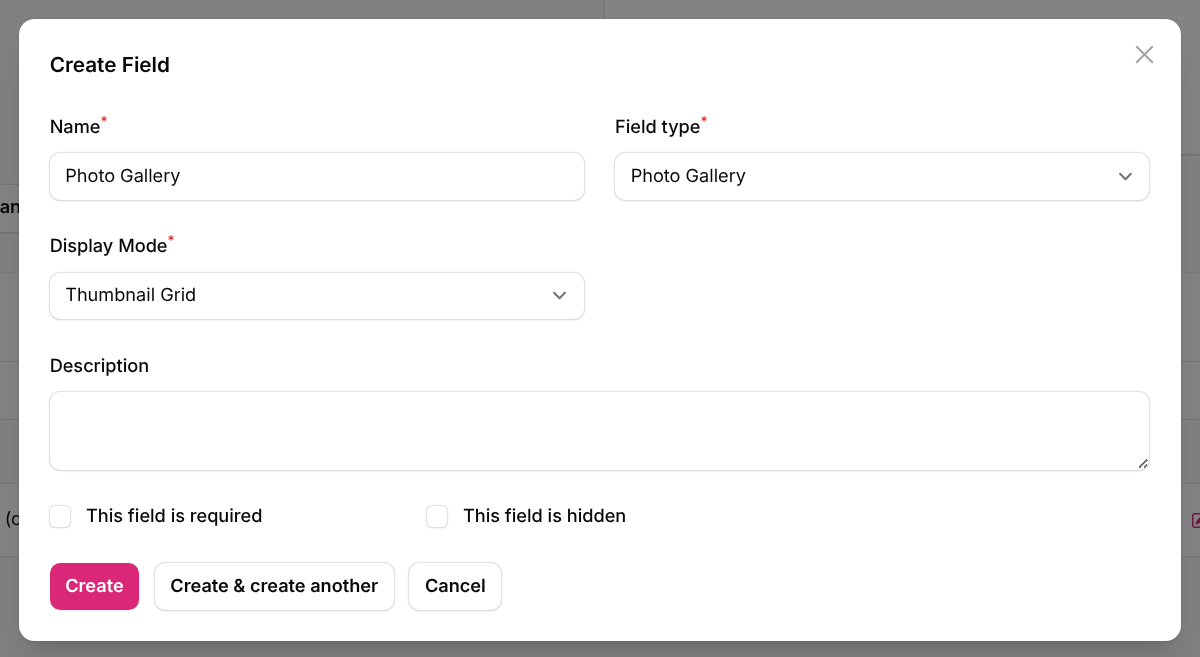
- In the modal that pops up:
- Choose a Name (e.g., "Photos").
- As Field type, choose Photo Gallery.
- Once you've selected that field type, an extra option Display Mode appears. Choose between Thumbnail Grid or Carousel.
- Click Create.
Now the field is added, and you can add photo galleries to each of your listings.
Adding Images to a Photo Gallery
To add images to a photo gallery for a specific property:
- Go to Properties in the Residenda dashboard.
- Click the listing you want to add a photo gallery to, or create a new one by clicking New Property.
- You will find your new photo gallery field in the form.

- You can add images by:
- Dragging & dropping them into the area, or
- Clicking it to browse your computer for files.
You can use the following image formats: JPEG, PNG, GIF, WebP, and BMP.